Questions? We are here to help!
Claim

Approve or Reject a claim request
Before a claim can be processed, it must be reviewed by the assigned approver.
Path: Claims > Approval
On the Claim Approval page, all pending claim requests assigned to you will be listed.
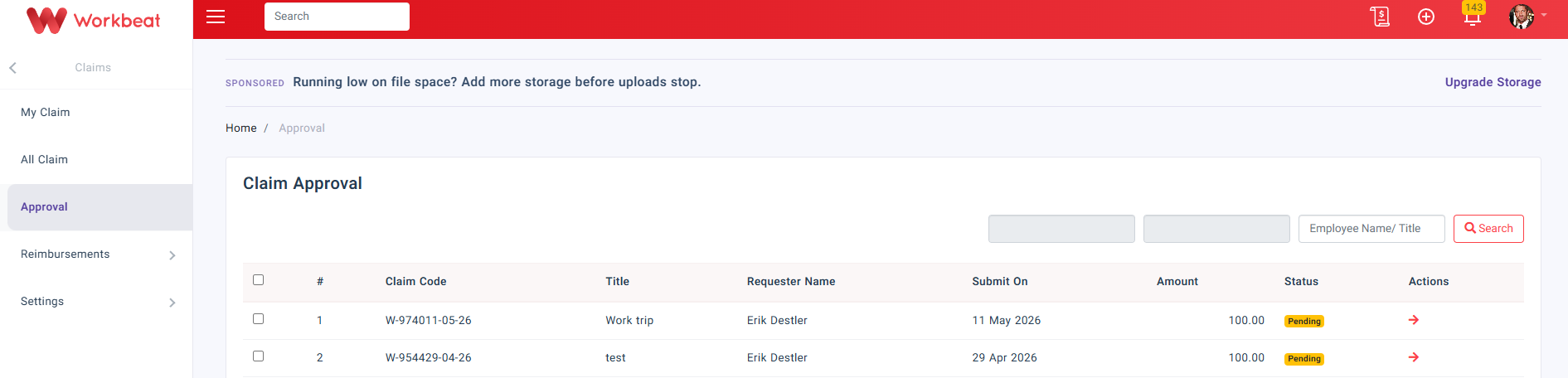
Click the Arrow icon under the Actions column to view the claim details.
On the Claim Detail page, review the claim information such as claim code, employee name, date, total amount, claim item, payment method, and attachment.
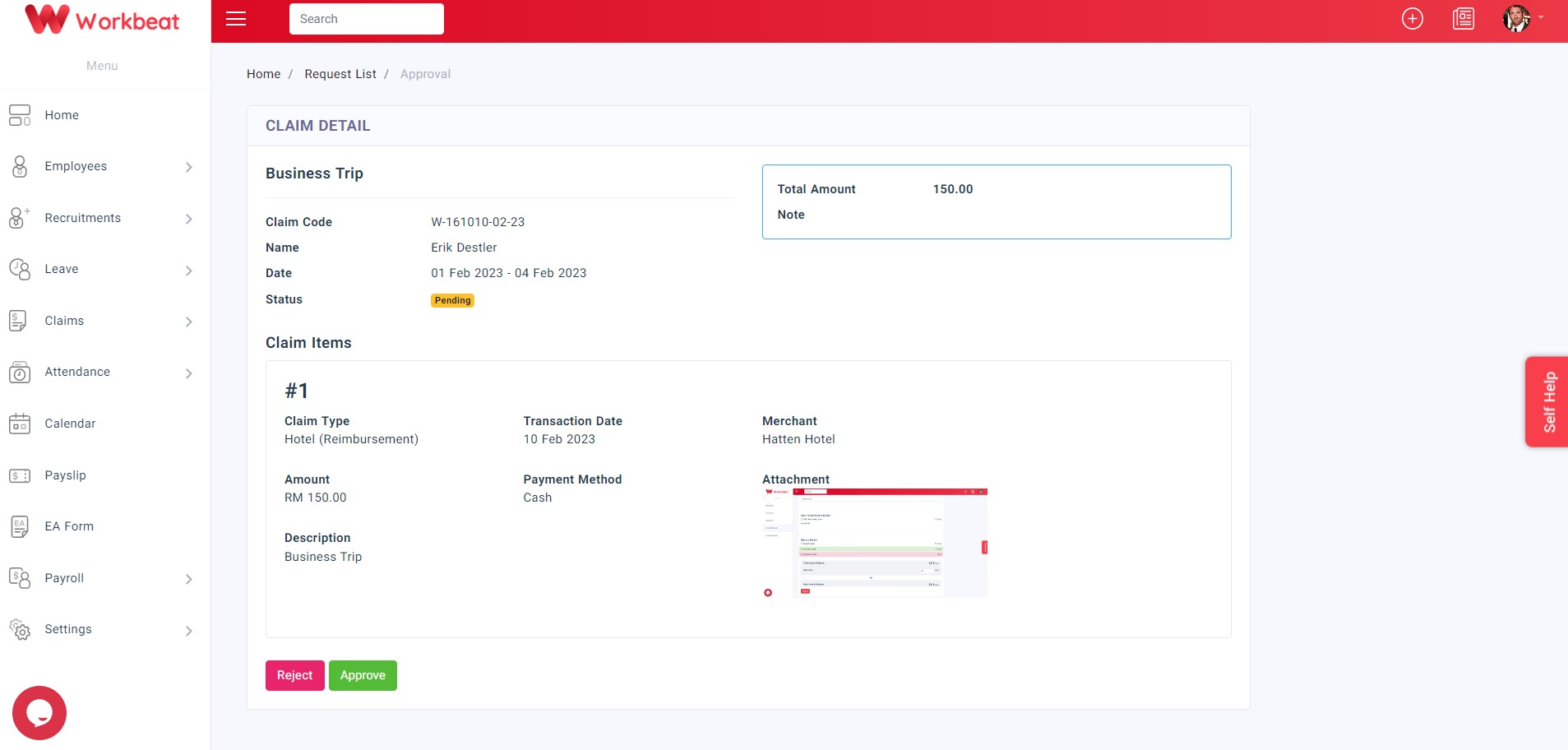
Click Approve to approve the claim request.
If you want to reject the claim, click Reject and enter the reject reason before submitting.
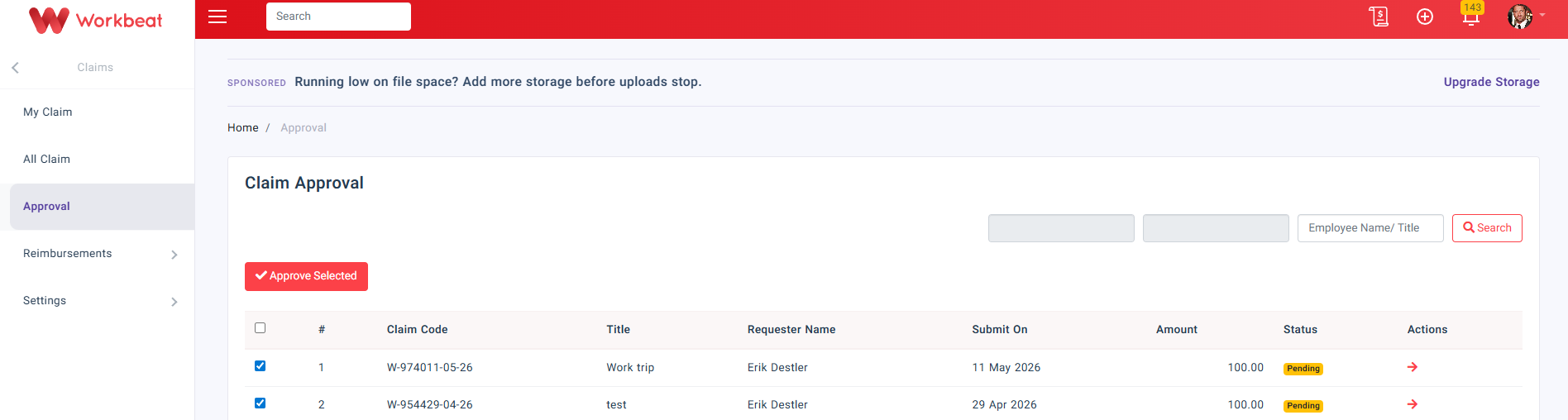
For bulk approval, tick the checkbox beside the claim requests, then click Approve Selected.
Workbeat
22 Sep 2025 7:16 AM
Categories
- All
- Introduction
- Getting Started
- Employee Guide
- Settings
- People
- Leave
- Payroll
- Claim
- News
- Calendar
- Recruitment
- Attendance
- Document
- Addons
Related Articles
-
Introduction
22 Sep 2025 7:16 AM
-
Employee Guide
22 Sep 2025 7:16 AM
-
Getting Started
22 Sep 2025 7:16 AM
-
Getting Started
22 Sep 2025 7:16 AM
-
Introduction
22 Sep 2025 7:16 AM